Tampilkan postingan dengan label Android. Tampilkan semua postingan

Facebook Chat Box မွာ Auto Reply ျဖစ္ေအာင္ လုပ္နည္း

Posted by Unknown Senin, 27 Januari 2014 0 komentar
Facebook သံုးတဲ့ သူငယ္ခ်င္းေတြအတြက္
ကိုယ္ကိုယ္တိုင္ ကိုယ့္အေကာင့္ကို ၀င္မသံုး
ေနေပမယ့္ ကိုယ့္ကို အၿမဲတမ္း Online အျဖစ္
ျမင္ေတြ႕ေနေစၿပီး ( ဆႏၵရွိရင္ Offline , Busy,
Away စသည့္ျဖင့္လည္း ထားႏိုင္ပါတယ္)
Chat Box မွာ တစ္ေယာက္ေယာက္က message
ပို႔လာတဲ့အခါ Auto Reply ျပန္ေအာင္ လုပ္ထားႏိုင္တဲ့
နည္းပညာေလးတစ္ခုပါ ...
ဒီနည္းေလးကို ကၽြန္ေတာ့္ရဲ႕ အိုင္တီ မုဆိုး အေကာင့္မွာ ၅ လေက်ာ္ေလာက္ စမ္းသပ္ၿပီး ေနာက္ဆက္တြဲ Error မရွိတာေသခ်ာမွ တင္ေပးလိုက္တာပါ ..

Android ဖုန္း Internal Memory 2G နဲ႔အထက္ရွိရပါမယ္
(ဒါေပမယ့္ Huawei U9200 မွာ ေကာင္းေကာင္းႀကီး အလုပ္လုပ္တာကိုလည္း ေတြ႕ရပါတယ္)
တကယ္လို႔ Auto Reply အတြက္ Support မလုပ္ႏိုင္တဲ့ ဖုန္းအနိမ့္ေတြမွာေတာင္
Ever Online ျဖစ္ေအာင္ေတာ့ လုပ္ေပးႏိုင္တာကို ေတြ႕ရပါတယ္ ..
ေမာ္ဒယ္ ေတာ္ေတာ္နိမ့္တဲ့ ဖုန္းေတြမွာေတာ့ Run လို႔ကို မရပါဘူး ...

ကဲ .. စမ္းသပ္ခ်င္တယ္ဆိုရင္ စ လိုက္ၾကစို႔

အရင္ဆံုး ဒီေဆာ့၀ဲ ကို အရင္ေဒါင္းယူပါ ..

ၿပီးရင္ ဖုန္းထဲမွာ Install လုပ္လိုက္ပါ ..

ၿပီးရင္ အင္တာနက္ခ်ိတ္ဆက္ၿပီး ေဆာ့၀ဲကို Run လိုက္ပါ ( လိုင္းနည္းနည္းေကာင္းတဲ့အခ်ိန္မွာ လုပ္ပါ)
ေအာက္ကပံုအတိုင္း ပြင့္လာပါမယ္


Log in ကို ႏွိပ္ေပးလိုက္ပါ .. Loading ခဏေလာက္လုပ္ၿပီးရင္ ေအာက္ကပံုအတိုင္း ပြင့္လာပါမယ္


ကိုယ့္ Facebook အေကာင့္ရဲ႕ email နဲ႔ Password ကို ထည့္ၿပီး Log in ကို ႏွိပ္ေပးလိုက္ပါ
ေအာက္ကပံုအတိုင္း ပြင့္လာပါမယ္ ..


OK ကို ႏွိပ္ေပးလိုက္ပါ ... တစ္ခါတစ္ခါ တျခား အဆင့္ေတြ၀င္လာတတ္ပါတယ္ ..
အဲဒါဆိုရင္လည္း Agree, Allow , OK စတာေတြကို ႏွိပ္ေပးလိုက္ပါ
ေအာက္ကအဆင့္အတိုင္း ပြင့္လာပါမယ္ ..


ဒီအဆင့္ေရာက္ၿပီဆိုရင္ .. ဖုန္းရဲ႕ Menu ကီးကို ႏွိပ္လိုက္ပါ ..


ပြင့္လာတဲ့ထဲက Setting ကို ႏွိပ္ပါ ..
ေအာက္ကပံုအတိုင္း ပြင့္လာပါမယ္ ...


အဲဒီထဲက Push Settings ကို ႏွိပ္ေပးလိုက္ပါ ..
ေအာက္ကပံုအတိုင္း ပြင့္လာပါမယ္ ..


Auto Reply မွာ အမွန္ျခစ္ေလးတပ္ေပးၿပီး Message အကြက္ကို ႏွိပ္လိုက္ရင္
Auto Reply စာသားေတြကို ျပန္ျပင္လို႔ရပါၿပီ ..

ဒါဆိုရင္ေတာ့ သူငယ္ခ်င္းတို႔ရဲ႕ Chat Box ကို တစ္ေယာက္ေယာက္က Message ပို႔ခဲ့တာနဲ႔ ..
သူငယ္ခ်င္းတို႔ရဲ႕ Auto Reply Message ဟာ အဲဒီသူငယ္ခ်င္းရဲ႕ Chat Box ထဲကို ခ်က္ခ်င္း
ျပန္ပို႔ေပးပါလိမ့္မယ္ ...

ကဲ .. အဆင္ေျပၾကပါေစဗ်ာ

နည္းပညာလမ္းေၾကာင္းေပၚက သူငယ္ခ်င္းအားလံုးကို ေလးစားခင္မင္လွ်က္

အိုင္တီမုဆိုး

Baca Selengkapnya ....

INSTANT HEART RATE - PRO APK V2.5.8

Posted by Unknown Minggu, 26 Januari 2014 0 komentar

မဂၤလာပါဗ်ာ ဒီေန.ကၽြန္ေတာ္တင္ေပးမွာကေတာ့ Android ဖုန္းသမားေတြအတြက္မရွိမျဖစ္ေဆာင္ထား သင့္တဲ့ instant heart rate (full version)ေလးပဲျဖစ္ပါတယ္ google play မွာ၀ယ္မယ္ဆိုရင္ေတာ့ ဒီလင့္ မွာသြား၀ယ္နိုင္ပါတယ္ .... :P  အလကားေဒါင္းယူခ်င္သူမ်ားကေတာ့
ေအာက္မွာေပးထားတဲ့လင့္ေတြထဲ ကအဆင္ေျပမဲ့လင့္တစ္ခုမွာသာေဒါင္းယူနိုင္ပါတယ္ ဒီေကာင္ေလးကို ေဒါင္းယူျပီး install လုပ္ဖြင့္လိုက္ပါ ဖုန္းမွာပါတဲ့ ကင္မရာေပါက္ေလး မွာလက္ေခ်ာင္းေလးကိုဖိထားျပီး ေဘးနားက အျပာေရာင္ အ၀ိုင္းေလး တစ္ပတ္ျပည္.သြားတဲ့အထိေစာင့္ပါ အျပာေရာင္အ၀ိုင္းေလး ျပန္ဆက္သြားတာနဲ. ကင္မရာမီးေလးလဲပိတ္ သြားျပီး ေထာက္ထားတဲ့လက္ပိုင္ရွင္ရဲ. ႏွလံုးခုန္ ႏွုန္းဘယ္ေလာက္ရွိလဲဆိုတာ ျပသပါလိမ့္မယ္ ပံုမွန္ႏွလံုး ခုန္ႏွုန္း ဟာလဲ 60 နဲ. 90 ၾကားမွာရွိရပါမယ္လို.လဲသူက ျပထားပါေသးတယ္ ကိုယ္တိုင္သံုးခ်င္လို.ပဲျဖစ္ျဖစ္ သက္ၾကီးရြယ္အိုေတြအတြက္ က်န္းမာေရးေစာင့္ေရွာက္မွုတစ္ခုအေနနဲ.ပဲ ျဖစ္ျဖစ္ လိုခ်င္တယ္ဆိုရင္ေတာ့ ေအာက္မွာ ေဒါင္းယူနိုင္ပါျပီ  Android version 2.3 နဲ.အထက္အသံုးျပဳနိုင္မွာျဖစ္လို.လူတိုင္းနီးပါးအသံုး ျပဳနိုင္မွာလဲျဖစ္ပါတယ္ .............အားလံုးပဲအဆင္ေျပပါေစဗ်ာာာာာာာ
                                                                                                         (ျမန္မာျပည္လူငယ္)


     ျမန္မာျပည္လူငယ္တင္ျပီးသမွ်ပို.စ္မ်ား Download ဆြဲနည္းမသိပါက ဒီလင့္ကို ႏွိပ္ျပီးသြားဖတ္ေပးပါ

Baca Selengkapnya ....

My top Android Apps for Educators

Posted by Unknown Kamis, 23 Januari 2014 0 komentar


I'm a huge Android user. I have my HTC One Smartphone and my own Nexus 7 tablet. In addition, my department uses Nexus 7 tablets for mobile access and some of our schools have Nexus 7 and Nexus 10 tablets.

I have a bunch of apps that I use on a regular basis, both when I was a teachers, as well as now as a CIO. This is my list of top apps for educators:


Gmail - email is the main way I communicate with my staff, vendors, and school admin and teachers. It is indispensable for me. I can easily check all of my email accounts (4).


Calendar - my calendar is so busy that I would be lost without this. What's nice is that my personal and work calendars are overlaid for easy viewing.


Drive - access and create/edit/share documents anywhere. You can even view and edit none Google Docs files using QuickOffice (see below) that Google bought and integrated into Drive.


Evernote -is my favorite, and most used resource. I had all of my lesson plans, resources, web clippings, lesson schedule, meeting notes, misc. notes, task lists, reference materials and much more on here as a teacher and I now use it for all of my notes, meeting notes, references, project planning and more . I can access my notes anywhere and can even share notes with others.


Google+ - this is how I connect with other educational, technology, and edtech professionals. Easy to use, great for conversations and tons of great people and communities on here.


Edmodo - this is a major component in our school district and used widely by teachers and staff. It provides some great features and resources and is free.


Student SIS System - access student information anytime. Teachers can also use it to take attendance and as a roll book during a fire drill.


Splashtop - I use this to access my desktop and/or laptop at any time from anywhere. It allows me to do anything on my Android device, including running Windows apps and accessing all of my files.


QuickOffice - access, view, and edit Word, PowerPoint and Excel files.Free version comes with phone and can view documents. Pro version adds editing for a fee.

Another feature of Android I love is the sharing. I can share from app to app with one click. Great for sharing resources with others.


Related:

Android for Education Resources

My Favorite Resources for Teachers and Students

Google for Education Resources

Essential Apps and Installs for Windows, Chrome, Android

Why I use Google's Products as an Educator


Baca Selengkapnya ....

Aviate - An Intelligent Andoid Launcher Acquired by Yahoo for $80M

Posted by Unknown Kamis, 16 Januari 2014 0 komentar
Aviate is an intelligent home screen replacement Android app which was recently acquired by Yahoo for $80M.

During CES 2014, Yahoo CEO Marissa Mayer was on hand to deliver a keynote. During the keynote, she mentioned that Yahoo had just purchased a company called Aviate. That company makes software that replaces the standard home screen on Android devices.


Aviate automatically categorizes all of your apps, and intelligently rearranges your homescreen throughout the day to dynamically give you the apps and information you need most, at precisely the moment you need it.


Aviate uses a variety of factors, including the time of day and your location to determine what you’re likely doing, and provide the appropriate apps, buttons, and links for that moment. For example, when you wake up and unlock your phone, Aviate provides a widget filled with your next few appointments, the weather, and even an icon for Twitter, since you like to scan news headlines in the morning. On the way to work, Aviate pops up Waze, Pandora, and Gas Buddy. When you head out to lunch, your home screen adapts itself to the restaurant you’re in, providing photos and tips from Foursquare, as well as the option to check in. As you walk to your car after happy hour that evening, Aviate pops up quick links to get directions home and check on traffic. When you plug in your headphones for an evening walk, your music apps appear. And finally, as you slump into bed after a long day, your home screen includes a new "Set Alarm" button, and a link to your Kindle app.


 Now, Aviate is finally free for everyone to try on the Google Play store, and all it takes it to put in “YAHOO” when it asks you for a code.

Aviate - Google Play

Baca Selengkapnya ....

Wondershare MobileGo for Android v4.3.0.252 + Patch

Posted by Unknown Rabu, 15 Januari 2014 0 komentar
http://i023.radikal.ru/1309/fc/a5fe85def07c.jpg

Android ဖုန္းနဲ႕ ကြန္ျပဴတာနဲ႕ ခ်ိတ္ဆက္ျပီး ဖုန္းတစ္ခုလံုးကို Manage လုပ္ေပးႏိုင္တဲ့ Software ေတြထဲမွာ Wondershare MobileGo ကလည္း နာမည္ၾကီးျပီးလူသံုးမ်ားတဲ့ Software တစ္ခုပါဘဲ။ Phone Service သမား မ်ားမရွိမျဖစ္ေဆာင္ထားသင့္ပါတယ္။ကြန္ျပဴတာထဲမွာ Android Application မ်ားကို Android ဖုန္းထဲသို႕ Install လုပ္ျခင္း ၊ Uninstall လုပ္ျခင္း ၊ ဖုန္းထဲမွ Data မ်ား SMS , Contact , မ်ားကို Backup & Restore လုပ္ေပးႏိုင္ျခင္း ႏွင့္ ျခံဳငံုေျပာရမယ္ဆိုရင္ေတာ့ Android Phone & Tablet တစ္ခုလံုးကို Manage လုပ္ေပးနိုင္ တယ္လို႕ေျပာရရင္ပိုမွန္ပါလိမ့္မယ္။ ေနာက္ဆံုးထြက္ ခဲ့တဲ့ Android OS 4.4 အထိ ဖုန္းမ်ားကိုပါ Support လုပ္ေပးႏိုင္ပါတယ္ဗ်ာ။


Manage Everything on Android from Your PC. MobileGo is a life saver for those who love music and video, text a lot and juggle apps on their Android phones and tablets.Android Fans: Backup everything to PC with 1 click & retain 100% quality.
Music Lovers: Instantly add fun stuff and enjoy media anytime, anywhere.
App Addicts: Download, install, uninstall and export apps quickly and easily.
Socialites: Transfer contacts from/to Outlook and send & reply SMS seamlessly from your PC.
What’s New In this version
1. 100% compatible with Android 4.4;
2. Optimized the SMS management by improving the stability;
3. Worked well with Nexus 5 and more new Android devices;
4. Fixed the bug that it failed to import contacts from Outlook Express, Windows Address Book and Windows Live Mail in Windows 7.


 **  Step-1.ေအာက္က Download Button ကိုႏွိပ္လိုက္ပါ  

**  Step-2. "5sec". ေလာက္ေစာင္႕ေပးပါ။

**  Step-3. "  << SKIP AD >>   ".ကိုႏွိပ္ေပးပါ။

**  Step-4. Download Link က်လာပါလိမ္႕မယ္။

**  အဆင္ေျပပါေစဗ်ာ။


Baca Selengkapnya ....

ဒီေဆာ့၀ဲကိုသံုးၿပီး အင္တာနက္လိုင္းကိုျမွင့္လိုက္ပါ (For Android)

Posted by Unknown Jumat, 10 Januari 2014 0 komentar
ကၽြန္ေတာ္တို႔ရဲ႕ ဖုန္းေတြထဲမွာ
ကၽြန္ေတာ္တို႔ရဲ႕ အင္တာနက္လိုင္းကို
အျမဲတေစ ယူသံုးေနတဲ့
Application ေတြရွိေနတာကို
ဖုန္းသံုးေနတဲ့ သူငယ္ခ်င္း
အားလံုးနီးပါး သိၾကမွာပါ
ကိုယ့္အတြက္အသံုး၀င္လို႔
အင္တာနက္ခ်ိတ္ဆက္ျပီး
အသံုးျပဳတာက ဘာမွမျဖစ္ေပမယ့္
ဖုန္းမွာ Original ပါ၀င္ျပီး
ကၽြန္ေတာ္တို႔အတြက္လည္း အမွန္တကယ္ အသံုးမ၀င္ပဲ အင္တာနက္ကုိ ခ်ိတ္ဆက္
အသံုးျပဳေနတဲ့ Application ေတြကေတာ့ ကၽြန္ေတာ္တို႔ရဲ႕ မစို႔မပို႔ ကြန္နက္ရွင္အတြက္ တကယ္ကုိ အေႏွာက္အယွက္ပါပဲ ...


အဲဒီေတာ့ ကၽြန္ေတာ္တုိ႔ရဲ႕ ဖုန္းထဲက Application ေတြကို ကၽြန္ေတာ္တို႔ရဲ႕ ထိန္းခ်ဳပ္မႈေအာက္မွာပဲ
အင္တာနက္ အသံုးျပဳခိုင္းေစႏိုင္မယ့္ Application ေလးတစ္ခုကို မွ်ေ၀ေပးခ်င္ပါတယ္

Application ရဲ႕ နံမည္ကေတာ့ Root Firewall  ျဖစ္ပါတယ္ ...
Free Version မွာေတာ့ Application အကန္႔အသတ္နဲ႔သာ သံုးခြင့္ရွိတဲ့အျပင္ အခ်ိန္အကန္႔အသတ္လည္း
ရွိေနပါတယ္ ..

အခု ကၽြန္ေတာ္တင္ေပးထားတဲ့ Root Firewall ကေတာ့ Pro Version ျဖစ္တာေၾကာင့္
ကိုယ္ထိန္းခ်ဳပ္ခ်င္သေလာက္ Application ေတြကို အခ်ိန္အကန္႔အသတ္မရွိ ထိန္းခ်ဳပ္ထားႏိုင္ပါတယ္

ပိုက္ပိုက္ေပးျပီး၀ယ္မွ ရတဲ့ Version မို႔ ကၽြန္ေတာ့္သူငယ္ခ်င္းေတြကို Free မွ်ေ၀ေပးလိုက္ပါတယ္ :D

ဒါေပမယ့္ ဒီ Application ေလးကို Root ေဖာက္ထားတဲ့ Android ဖုန္းေတြမွာပဲ အသံုးျပဳႏိုင္မွာ ျဖစ္ပါတယ္

ကဲ .. လိုခ်င္တဲ့ သူငယ္ခ်င္းမ်ား ဒီမွာ ေဒါင္းယူႏိုင္ပါတယ္

ေဒါင္းလို႔ ရလာတဲ့ Apk ဖိုင္ကို ဖုန္းထဲမွာ Install လုပ္လိုက္ပါ
Install လုပ္ျပီးလို႔ Application ကို ဖြင့္လိုက္ရင္ ေအာက္ကပံုအတိုင္း ပြင့္လာပါမယ္


ပြင့္လာတဲ့ထဲက အင္တာနက္အသံုးျပဳမႈကို ပိတ္ထားခ်င္တဲ့ Application ေတြကို အမွန္ျခစ္တပ္ေပးျပီး
ေအာက္ဆံုးက Apply Now ကို ႏွိပ္ေပးလိုက္ပါ


ဒါဆိုရင္ အဲဒီ Application ဟာ ဒီထိန္းခ်ဳပ္မႈကို မဖယ္ေပးမခ်င္း အင္တာနက္ အသံုးျပဳႏိုင္ခြင့္ မရရွိေတာ့ပါဘူး

တစ္နည္းအားျဖင့္ေျပာရရင္ ကၽြန္ေတာ္တို႔အတြက္ အင္တာနက္လိုင္းအားကို ပိုမိုအသံုးျပဳခြင့္ ရရွိလာပါမယ္

ကဲ .. အဆင္ေျပၾကပါေစဗ်ာ

နည္းပညာလမ္းေၾကာင္းေပၚက သူငယ္ခ်င္းအားလံုးကို ေလးစားခင္မင္လွ်က္

အိုင္တီမုဆိုး

Baca Selengkapnya ....

Huawei Y325-T00 Offical Firmware [Mediafire Download]

Posted by Unknown Jumat, 27 Desember 2013 0 komentar

Huawei Y325-T00 အတြက္ Offical Firmware ေလးကို Mediafire ကေန Download လုပ္လို႔ရပါျပီ။

Model - Y325-T00

Date - 4.12.2013

Version - 2.3

Build Number - V100R001C01B020

File Size - 153.82 MB


Baca Selengkapnya ....

T-Mobile Galaxy Note 2 (SGH-T999) Offical Firmware Update!

Posted by Unknown Selasa, 24 Desember 2013 0 komentar

Samsung Galaxy Note 2 T-Mobile (SGH-T999) အတြက္ Jelly Bean 4.3 Offical Firmware ေလးပါ။

Firmware Detail are:

Device: Galaxy Note 2 (T-Mobile)
Model: SGH-T999
OS: Android Jelly Bean 4.3
Build Date: 30.10.2013
PDA: T999UVUEMJC
CSC: T999TMBDMD5
Modem: T999UVDMD5
Changelist: 1962493
Region: TMB (T-Mobile)


Baca Selengkapnya ....

Huawei Ascend Y200 firmware

Posted by Unknown 0 komentar
Huawei Ascend Y200 firmware


Huawei  Ascend U8655-1 ေလးက တန္ဖိုးနည္းဖုန္းတစ္လံုး ျဖစ္ၿပီး သူ႔မွာ Google Applications ေတြျဖစ္တဲ့ Play Store, Gtalk,Google Search, ေတြအျပင္ Google + ပါ ပါလာတာကိုေတြ႔ရပါတယ္။ သူ႔ firmware ကို ေအာက္က လင့္မွာ ေဒါင္းႏိုင္ပါတယ္။


Baca Selengkapnya ....

Huawei C8815 Offical Firmware (Mediafire Download)

Posted by Unknown 0 komentar

Huawei C8815 အတြက္ Offical Firmware ေလးကို Mediafire ကေန Download လုပ္လို႔ရပါျပီ

Model - Huawei C8815

Version - 4.1 (Emtion UI)

Build Number - V100R001C92B135


Baca Selengkapnya ....

Install Backtrack 5 on Android Phones|Tablets

Posted by Unknown Minggu, 08 Desember 2013 0 komentar


Today we are going to see How to install backtrack  5 on Smartphones and tablets which run on android.For this we have certain Required. Ofcourse the main will be the Android smartphone with 2.1+. Though I recommend 4.0+.In my case ill be using Micromax a110 smartphone.


Requirements:

1.Back | track 5 Arm architecture which can be downloaded from the official website of the Back | track Here.
2.A smartphone/tablet which needs to be rooted since it requires root permission to run certain scripts. (micromax a110 as example)
3.Following Android Apps:
BUSYBOX : It acts like a installer and uninstaller.it needs root permission to run.it has gpu cores and can  run linux kernals on android . Link  
Superuser: This app just grants a superuser power to your phone just like “su” does for linux. Link
Terminal Emulator is app that runs a terminal console in android .Link
AndroidVNC is a tool for viewing VNC in Android. Link

Installation:

1.Extract the backtrack folder “BT5-GNOME-ARM” to folder named “BT5” on the root of sd.That’s the top level of the SD card. 
2.Open up the Terminal Emulator

3.Type the command “cd sdcard/BT5”
4.Run this command and you will see root@localhost.
su
sh bootbt
 
5. Now lets run Backtrack GUI with VNC viewer
 startvnc

6. Open android vnc
Nickname : BT5
Password : toortoor
Address : 127.0.0.1
Port : 5901
 7.Click the connect Button and Boom here is your Pentest machine :D 


If you find any problem dont forget to comment... :D

Baca Selengkapnya ....

Viber New Stickers (၀ယ္ရတဲ႕ Viber Sticker မ်ားကို ဒီမွာ အလကားယူႏိုင္ပါတယ္)

Posted by Unknown Kamis, 14 November 2013 0 komentar
http://cdn7.staztic.com/app/a/2992/2992192/my-chat-sticker-2-v-735113-0-s-307x512.jpg
အခုလည္း Viber Version အသစ္အတြက္ Sticker အသစ္ေတြကို ထပ္ျပီးတင္ေပးလိုက္ပါတယ္ဗ်ာ။ အခု တင္ေပးလိုက္တဲ႕ Sticker ေတြကေတာ့ Sticker Mark ကေနျပီး ၀ယ္ရတဲ့ Sticker ေတြကို Free ရယူႏိုင္မွာပါ။ ခုနေလးကတင္ေပးလိုက္တဲ႕ Application ေတြက Sticker ေတြနဲ႕ မတူပါဘူး။ ဒီေကာင္ေလးက Sticker ေတြ ကို Image အေနနဲ႕တင္ေပးထားတာပါ။ သူမ်ားေတြမွာ Free ရတဲ႕ Sticker ေတြပို႕ေနတဲ႕အခ်ိန္မွာေတာ့ ဒါေလးေဒါင္းထားတဲ႕သူေတြက အမွန္အကန္ လန္းတဲ႕ Sticker ေတြကို ပို႕ႏိုင္မွာပါ။ ဟဲဟဲ လူရွိန္တာေပါ့ ဗ်ာ။ တင္ေပးလိုက္တာေတြကေတာ့ တကယ့္ကို မနည္းမေနာဘဲဗ်ိဳ႕ စိတ္ၾကိဳက္သာယူသံုးႏိုင္ပါတယ္ဗ်ာ။ စုစည္း ထားေပးတဲ႕ ပညာရွင္ကို အတိအက်မသိတဲ႕အတြက္ Credit မေပးႏိုင္တာကို ခြင့္လြတ္နားလည္ေပးေစခ်င္ ပါတယ္ဗ်ာ။


 **  Step-1.ေအာက္က Download Button ကိုႏွိပ္လိုက္ပါ  

**  Step-2. "5sec". ေလာက္ေစာင္႕ေပးပါ။

**  Step-3. "  << SKIP AD >>   ".ကိုႏွိပ္ေပးပါ။

**  Step-4. Download Link က်လာပါလိမ္႕မယ္။

**  အဆင္ေျပပါေစဗ်ာ။


http://adf.ly/ZLQsS


Baca Selengkapnya ....

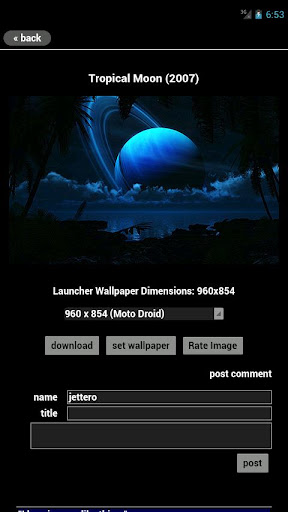
Digital Blasphemy Wallpapers v1.1.6 APK

Posted by Unknown Selasa, 05 November 2013 0 komentar

Android User ေတြအတြက္ Wallpapers ေလးတစ္ခုရထားလို႕တင္ေပးလိုက္ပါတယ္ဗ်ာ။ မိုက္ခ်က္ကေတာ့ ကန္းကုန္တယ္ဗ်ာ။ အခုလက္ရွိ Wallpaper ေလးကိုကၽြန္ေတာ့ဖုန္းထဲမွာထည့္ထားပါတယ္ဗ်ာ။ Wallpaper Application မ်ိဳးဆိုေတာ့ ရွင္းျပေနဖို႕မလိုေတာ့ပါဘူး။ ေအာက္က Link မွာသာေဒါင္းယူၾကည့္ၾကပါဗ်ာ။ File Size က 1MB ေတာင္မရွိဘူးဆိုေတာ့ ေဒါင္းလို႕လြယ္ပါတယ္ဗ်ာ။ Android OS 2.3 ႏွင့္အထက္ဖုန္းမ်ားမွာ အသံုးျပဳႏိုင္မွာျဖစ္ပါတယ္ဗ်ာ။


**  Step-1.ေအာက္က Download Button ကိုႏွိပ္လိုက္ပါ  

**  Step-2. "5sec". ေလာက္ေစာင္႕ေပးပါ။

**  Step-3. "  << SKIP AD >>   ".ကိုႏွိပ္ေပးပါ။

**  Step-4. Download Link က်လာပါလိမ္႕မယ္။

**  အဆင္ေျပပါေစဗ်ာ။


သတိျပဳ ရန္ - Download Button ကိုႏွိပ္ရင္ ကၽြန္ေတာ့္ Home Page နဲ႕ Download Page ႏွစ္ခု က Tab ႏွစ္ခု အေနနဲ႕ တစ္ျပိဳင္နက္ထဲ က်လာပါတယ္။ ေသခ်ာေလးစစ္ျပီးေဒါင္းႏိုင္ပါတယ္ဗ်ာ


Baca Selengkapnya ....
Trik SEO Terbaru support Online Shop Baju Wanita - Original design by Bamz | Copyright of android themes.